Your inventory,
back in your hands.
Encircle ended free access to its home inventory in December 2025. If you documented your home there, the afternoon you spent on it is not wasted: the spreadsheet you exported imports into Kestrove in a couple of taps, and what lands here is a record that stays with you.
Free to download · Optional one-time unlock.
A free product,
no longer free.
Encircle is now a company that sells field-documentation software to restoration contractors and insurance professionals. Its website, its App Store and Google Play listings and its help centre all describe that business and nothing else: there is no longer a page on it addressed to homeowners. The app itself was never withdrawn, it simply stopped being a consumer product.
Free consumer accounts ended along with it. The people who were notified at the time report a cut-off of 17 December 2025 and an instruction to download their reports, spreadsheets and photos first. Encircle published no notice we could find, so treat that date as what users reported rather than as a confirmed fact. Nobody has suggested anything was deleted. What ended was the free way in.
That is a legitimate business decision, and the consumer app did a real job for a lot of people for years. It does leave a practical question behind: where does your record live now?
Checked 29 July 2026: Encircle’s current site describes restoration work only; the archived home-inventory page shows what it used to offer homeowners.
The files you saved
are the inventory now.
If you exported before the cut-off, you are holding the real thing: a spreadsheet of your items, a PDF report, and a folder of photos. That is enough to rebuild from, and it is more than most people ever have. If you exported nothing, Encircle is the only party who can tell you what is still on their side. Nothing on this page can get it back for you.
The part worth carrying into whichever app you pick next is simpler than a lesson about lock-in. A record that exists only inside somebody else's product lasts as long as that product does.
Four steps,
one file.
Kestrove reads a CSV written by a spreadsheet or by another inventory app, and it is deliberately forgiving about what the columns are called. You do not have to rename headings or reorder anything first.
-
1
Start from the export you already have
Your Encircle download, or the spreadsheet you keep beside it. If it opens in Excel or Numbers, use Save as or Export and pick CSV. Nothing else needs to change.
-
2
Put the file where your phone can reach it
iCloud Drive, Files, AirDrop from your Mac, or an email to yourself. Kestrove opens it through the standard iOS file picker, so any location the Files app can browse will do.
-
3
Settings → Import from a spreadsheet
Pick the file. The import runs on the device: the file is read where it sits, and nothing is uploaded anywhere to be processed.
-
4
Read what it tells you
You get a plain count back: items imported, new rooms created, columns nobody recognised, and rows that carried no readable name. Anything Kestrove could not place is reported to you rather than quietly dropped.
Your headings,
as you wrote them.
An Encircle location lands as a room, and so does a column called Room, Folder, Area or Space. A row that names no room of its own goes into a room called Imported, where you can find it and file it later.
Item, Name, Title or Description becomes the item name. Brand or Make, Model, Serial or S/N, Barcode or UPC, quantity, category, and notes or condition each find their field. Value, Price, Cost or Replacement Cost becomes the replacement value, and purchase price, purchase date and warranty end are read as well.
Amounts are read the way your spreadsheet wrote them, so a value typed 1.299,50 and one typed 1,299.50 both arrive as the same number, currency symbols and thousands separators included. Dates are read in ISO form and in the everyday day/month and month/day orders. A date it cannot read with certainty is left empty rather than guessed, because a wrong purchase date quietly changes what an item is worth today.
Photos do not travel in a CSV: a spreadsheet holds text. Keep the images you exported and attach them per item, or let the camera do it, since one photo of an item fills in its name for you.
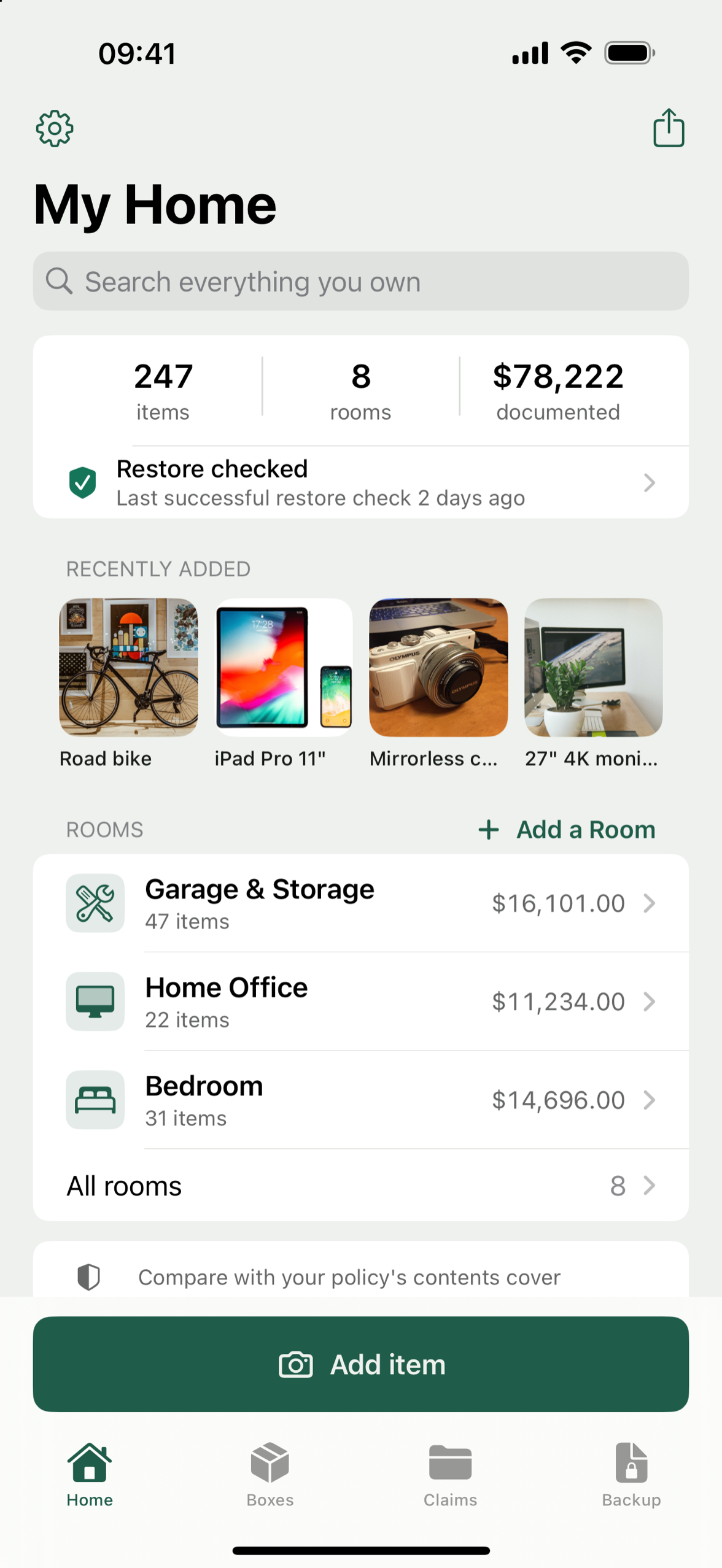
Your data is a file
that you hold.
- There is no account to close.Kestrove has no sign-up and no servers of ours holding your inventory. It sits on your device, which is why the App Store privacy label reads Data Not Collected. Nothing we decide about our business can reach into it.
- The backup is a file you keep.One encrypted file, sealed with a passphrase only you hold, saved wherever you keep the documents that matter. We never hold a copy, so there is no copy of ours to lose.
- And it is proven to restore.The one-tap drill rebuilds your whole inventory from that file and shows you the counts, so “verified” means tested rather than assumed. That is the promise the app is named for.
- The exit stays open, free.CSV export works in the free tier, exactly as the import does. If Kestrove ever stops being the right app for you, your record leaves in a file any spreadsheet opens.
- Bought once, from oomny.The one-time unlock supports Family Sharing on the App Store. No subscription.
Common questions
My export is a PDF report, not a spreadsheet. Can I import that?
No. A report is a printed layout rather than a table, so reading one back would mean guessing at your own numbers. If the PDF is all you have, photographing the items again is usually faster than retyping them, because each photo fills in the item’s name and any legible brand, model or serial by itself.
Will importing overwrite what I have already added?
No. An import only adds. Existing rooms are matched by name and reused, new ones are created, and nothing already in your inventory is edited or removed. If a file turns out wrong, the items it created can be selected and deleted together.
How much of my file fits in the free tier?
The free version holds up to thirty items in total. For a larger file, Kestrove imports what fits and shows how many rows remain. You can decide whether to unlock more space after seeing your own items in the app.
Do I need an account, or an internet connection?
Neither. There is nothing to sign up for: the import, the recognition on your photos and the export all run on the phone itself. The one thing that uses a connection is the optional EU recall check, which downloads a public alert list; your inventory is never sent anywhere.
Import your file and review your own items before deciding whether to buy the one-time unlock. The App Store and Google Play each show the price for your store region before you confirm the purchase.
Coming to the App Store and Google Play. Out now. Prefer paper for now? The free home inventory checklist runs in your browser, with no sign-up.